
PayghamWhatsApp AutomationWhatsApp Automation for Your CRM, POS, and Business
Connect your WhatsApp number and automate customer messages from Paygham, your CRM, POS, or API—with contacts, opt-in, and webhooks built in.
After the demonstration starts, use Space to play or pause, the arrow keys to seek and change volume, M to mute, and F for fullscreen.
WhatsApp AI assistant
A number messages you. Your assistant answers from your business facts.
Watch illustrative chats land on a connected WhatsApp number. The assistant retrieves an FAQ, PDF, or page you provided, then sends a reply. One successful reply uses one credit. It is not a person, and it does not replace your support team.
Live WhatsApp thread · illustrative
Customer numbers message +93 20 555 xxxx. Shop assistant answers from your information — not as a person.
This successful reply uses 1 credit
+93 70 555 xxxx
Shop assistant · AI · not a person
Illustrative chat · Hours
Are you open tomorrow?
16:42
Retrieved · FAQ
Opening hours
Saturday–Thursday 9:00–18:00. Friday closed.
We're open tomorrow from 9:00 to 18:00. Friday we're closed. How else can I help?
16:42
Signal operations
From CRM event to WhatsApp thread — with consent on the wire
Paygham is the green signal path between your systems and the chat: connect a number, fire a message, keep opt-in honest.
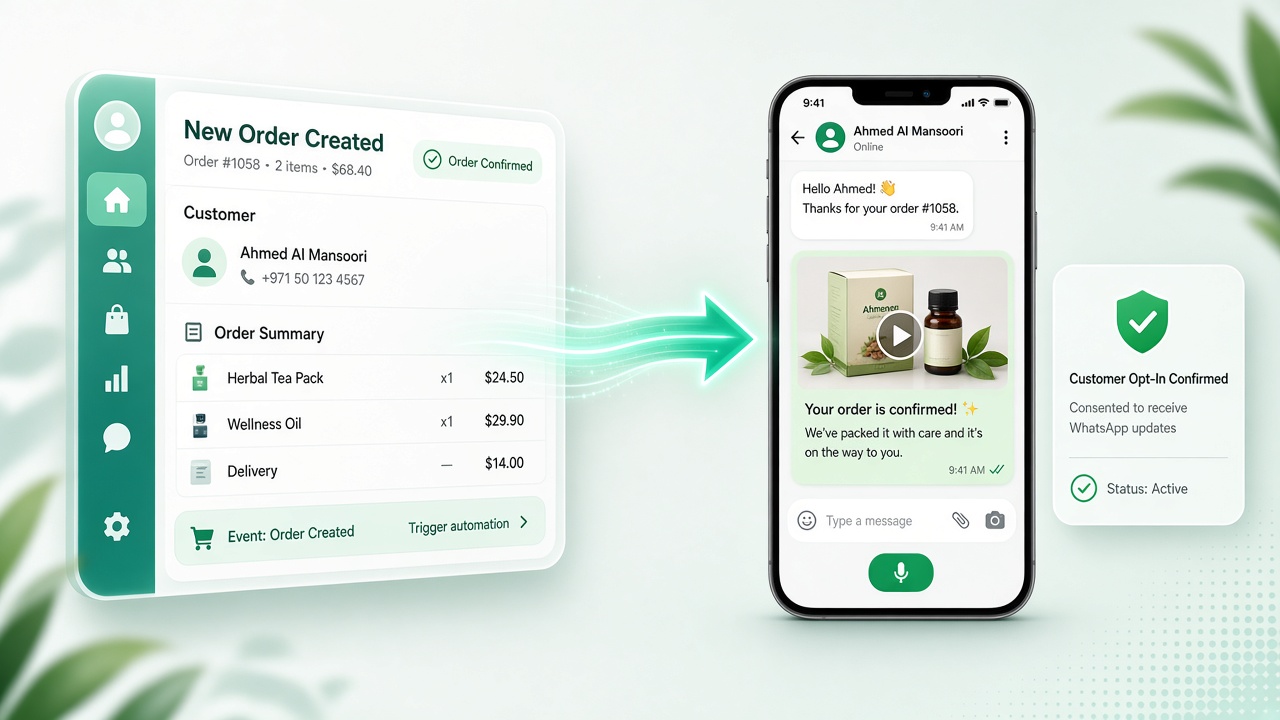
Live route
CRM / POS → Paygham → WhatsApp
An order ships, an invoice is ready, or a support update fires. Paygham routes the payload through your connected engine and lands it as text or media in the right thread — while consent stays visible.
- 1
System event
CRM or POS triggers a send
- 2
Paygham signal
API or dashboard routes the message
- 3
Chat delivery
Text or media lands in WhatsApp
- 4
Consent state
Opt-in / opt-out stays attached
Connect WhatsApp
Browser engine (Chrome extension + WhatsApp Web) or server engine — same outbound path once the session is live.
Send text & media
Images and PDFs from the dashboard or API — one delivery path either way.
Bulk messaging
Multi-recipient sends for operational updates without juggling chats by hand.
Contacts & compliance
Opt-in, opt-out, and consent pages so messaging stays transparent.
API & webhooks
Keys for CRM/POS plus signed webhooks for status sync.
Clear billing tiers
Free → Pro: start on browser, unlock server when you need it.
WhatsApp AI assistant
Answer incoming chats from your FAQs, documents, and website. One successful reply uses one prepaid credit.
Wire your stack
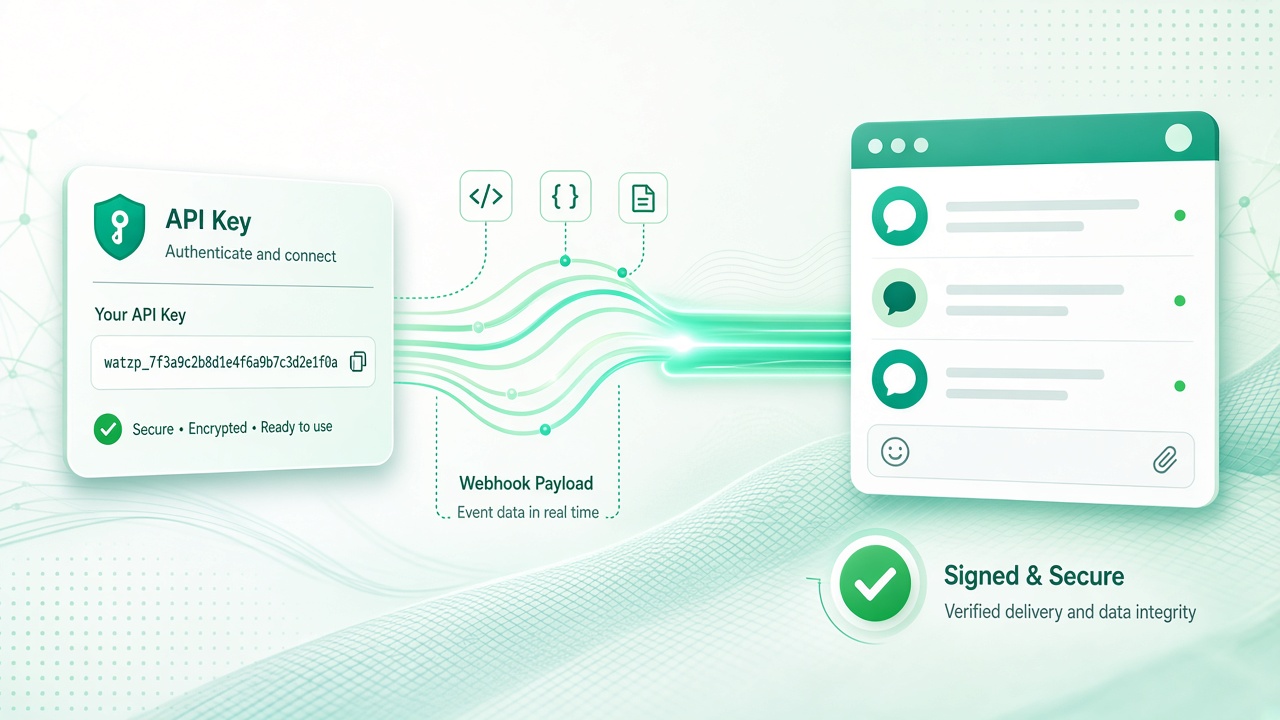
API keys & signed webhooks
Issue keys for CRM/POS integrations and receive signed webhook pulses so delivery status stays in sync with your systems.
How it works
Three beats on the signal path
Not a generic checklist — the same operational sequence your team runs every day.
- 01
Session online
Connect your number
Link WhatsApp with the browser engine (extension + WhatsApp Web) or the server engine. The signal is live once the session is ready.
- 02
Message en route
Send via API or dashboard
Fire text and media from CRM/POS through the API, or send from Paygham — including bulk. Same green route out.
- 03
Consent attached
Stay compliant
Contacts keep opt-in/opt-out and consent pages. API keys and signed webhooks keep your systems honest.
Simple & flexible pricing
Choose the plan that fits your team. Switch monthly or annual billing anytime — no hidden fees.
Loading plan pricing…
FAQ
Questions, answered
Straight answers about how Paygham connects, sends, and stays within your control.
Explore Paygham
Deep dives for the searches and workflows teams care about most.
Contact
Talk to us
Questions about plans, integrations, or getting started? Reach the Paygham team directly.
Email support[email protected] · We typically reply within one business day.
Ready to automate WhatsApp messaging?
Connect your number, send from your CRM or dashboard, and keep compliance in one place.